

Knowledge
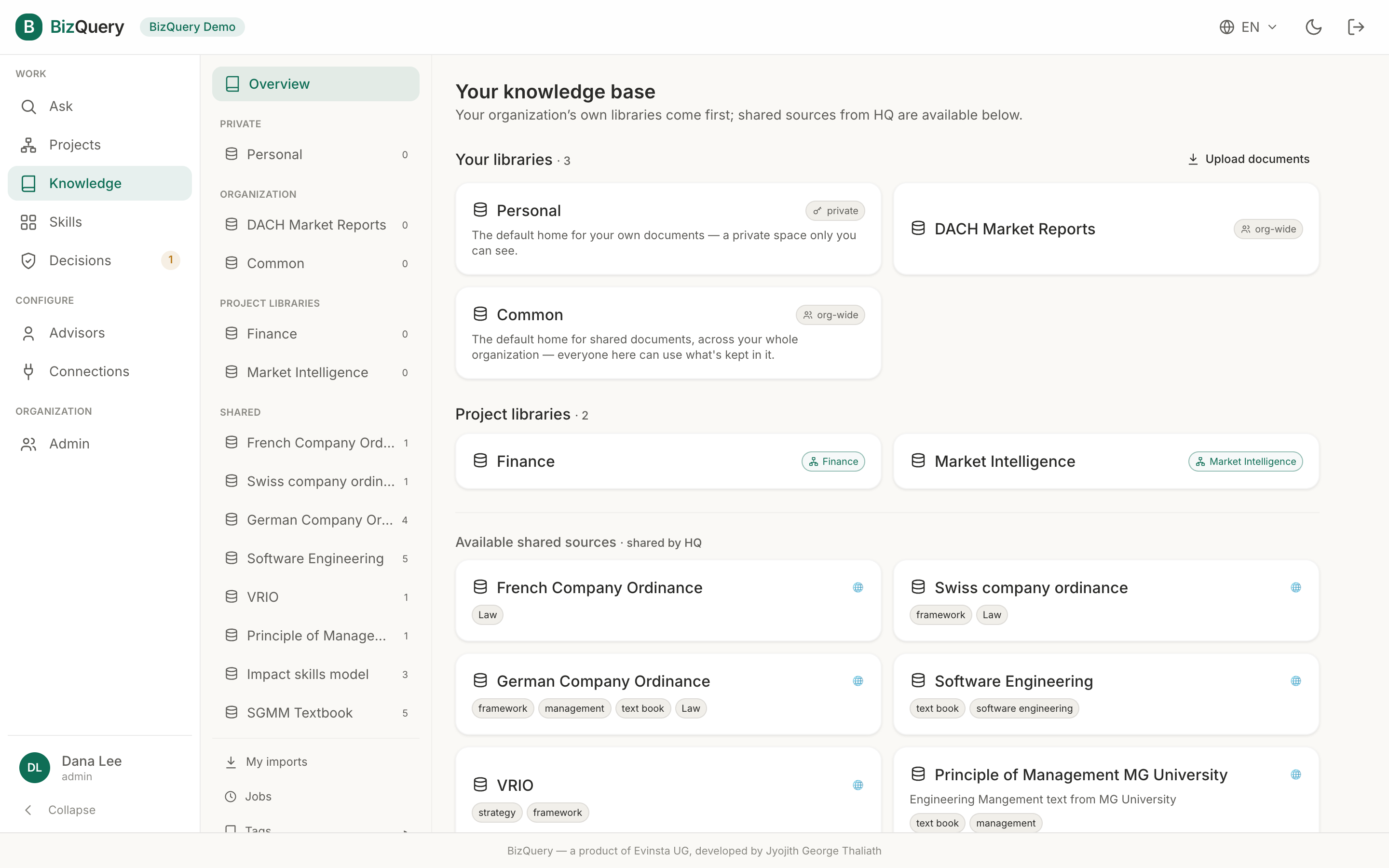
Your documents live in libraries. Everything an advisor can answer from comes from them.
Where you manage libraries depends on your account: in an organization, libraries live inside Projects — open a project and use its Libraries and Documents tabs (an admin task). On an individual account, you get a dedicated Knowledge tab. This page describes libraries, importing, and tags — which work the same either way.
Libraries
A library is a named collection of documents. They’re grouped by who can see them:
- Shared — platform‑wide sources curated by the operator, readable by everyone.
- Organization — sources shared across your whole org, or scoped to a project.
- Private — sources only you can see.
Create one with a name, an optional description, and a visibility. In an organization, scope it to a project to share it with just that project’s members, or keep it org‑wide. (Individual accounts only create private libraries.)
Importing documents
Open a library and drag your files onto it — PDF, Word (.docx), Excel (.xlsx), PowerPoint (.pptx), CSV, Markdown, and text are all supported, and you can drop several at once. Each import is automatically:
- parsed — text extracted (spreadsheets by sheet, slides by slide), with OCR fallback for scanned PDFs,
- embedded — split into passages and indexed for search,
- named & tagged — given a clean, standardized title and category tags by the AI.
Watch live processing as each import runs. Your own uploads are gathered in one place — All documents in an organization (alongside Projects), or My imports on an individual account — so you can find them across every library. You can rename a library or edit its description at any time, and edit any document’s title or tags — or re‑process it to regenerate them.
Viewing documents
Click View on any document to open it in the built‑in viewer — a scrollable, zoomable reader for
PDFs with page navigation, rendered Markdown for .md files (which you can export as PDF),
and a clean text view for Word, Excel, PowerPoint, and CSV. It’s the same viewer that opens when you
follow a citation from Ask or a Decisions playbook step, so you always
land on the exact page a passage came from.
Tags
Tags categorize your documents and libraries. Manage them from the Tags panel:
- create tags, and nest them one level deep as subtags,
- assign tags to libraries and to individual documents.
Tags come in three tiers:
- Global — a shared HQ vocabulary, readable by everyone (only the platform operator manages it).
- Organization — visible and editable within your organization (its admins manage it).
- Private — visible only to you; this is the tier you get by default, and what automatic tagging creates for your own imports.