Teams & access
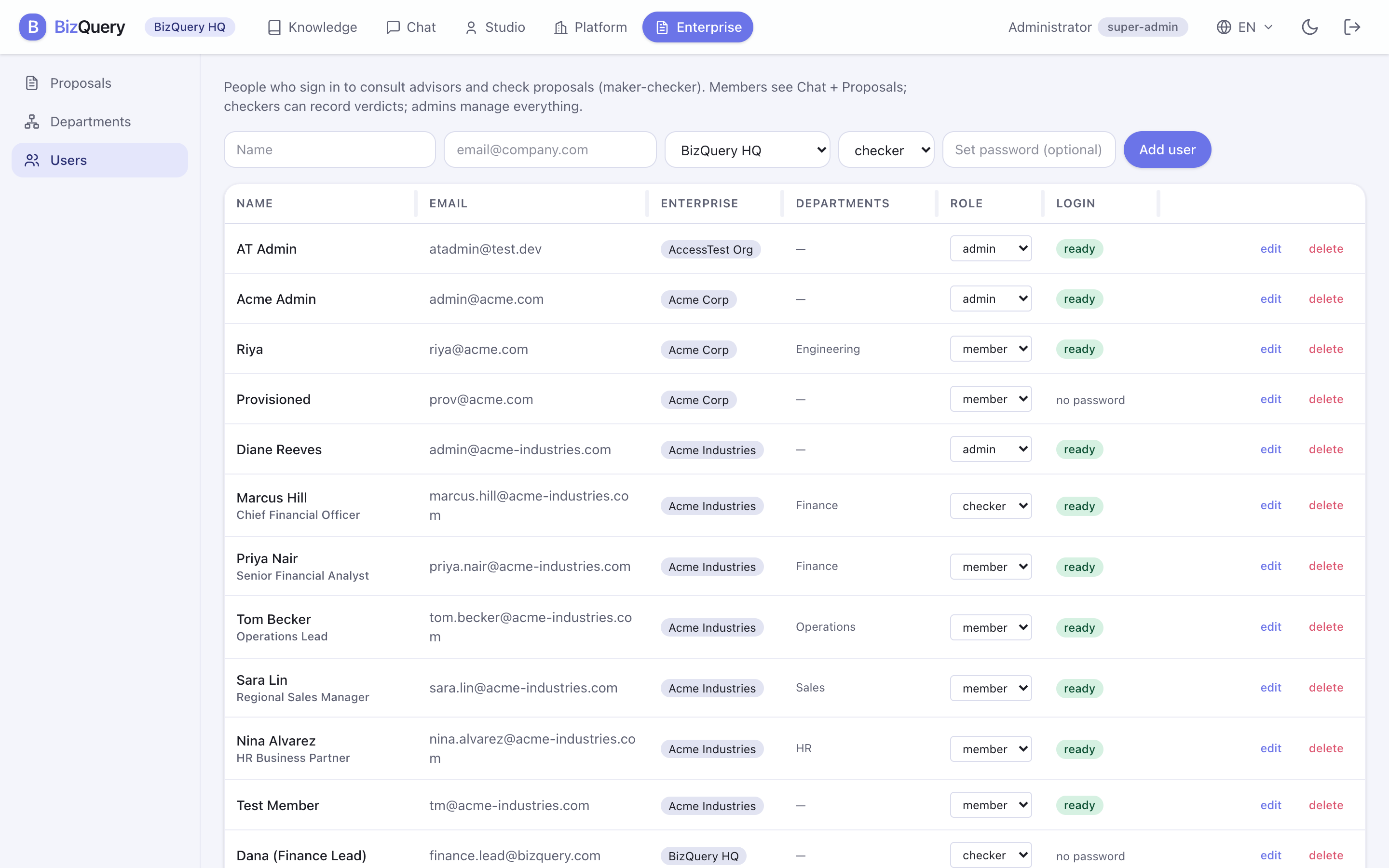
Organizations get tools for managing people and for controlling who can see what. (Individual accounts skip this — everything is simply private to you.)
Users
Under Enterprise → Users, an admin can invite people, set their role (member, checker, admin), reset a password from the edit form, and remove them. Anyone can change their own password from their Account.
Departments
Under Enterprise → Departments, group people into teams. Departments let you share a datasource or advisor with just one team rather than the whole organization.
Visibility
Every datasource, advisor, and tag carries a visibility that decides who can see it:
| Visibility | Who can see it |
|---|---|
| Private | Only you (the owner). |
| Department | Members of that department. |
| Organization | Everyone in your organization. |
| Shared / global | Everyone on the platform — curated by the operator. |
Rules of thumb:
- Members create private resources of their own; admins can also share at the department or organization level.
- Individuals only ever create private resources.
- Only the platform super‑admin publishes globally‑shared resources.
- An advisor shared more widely than its datasources won’t work — its knowledge has to reach everyone who can see it.
API keys
Behind your name (top‑right) → Account → API keys. A key authenticates as you for scripts, CI, or MCP clients — treat it like a password.
- Create a key (you’re shown the secret once — copy it then).
- Rotate a key to replace its secret immediately, or revoke one you no longer need.
- Optionally set an expiry.
Use a key with the API or to connect an external MCP client.