Chat
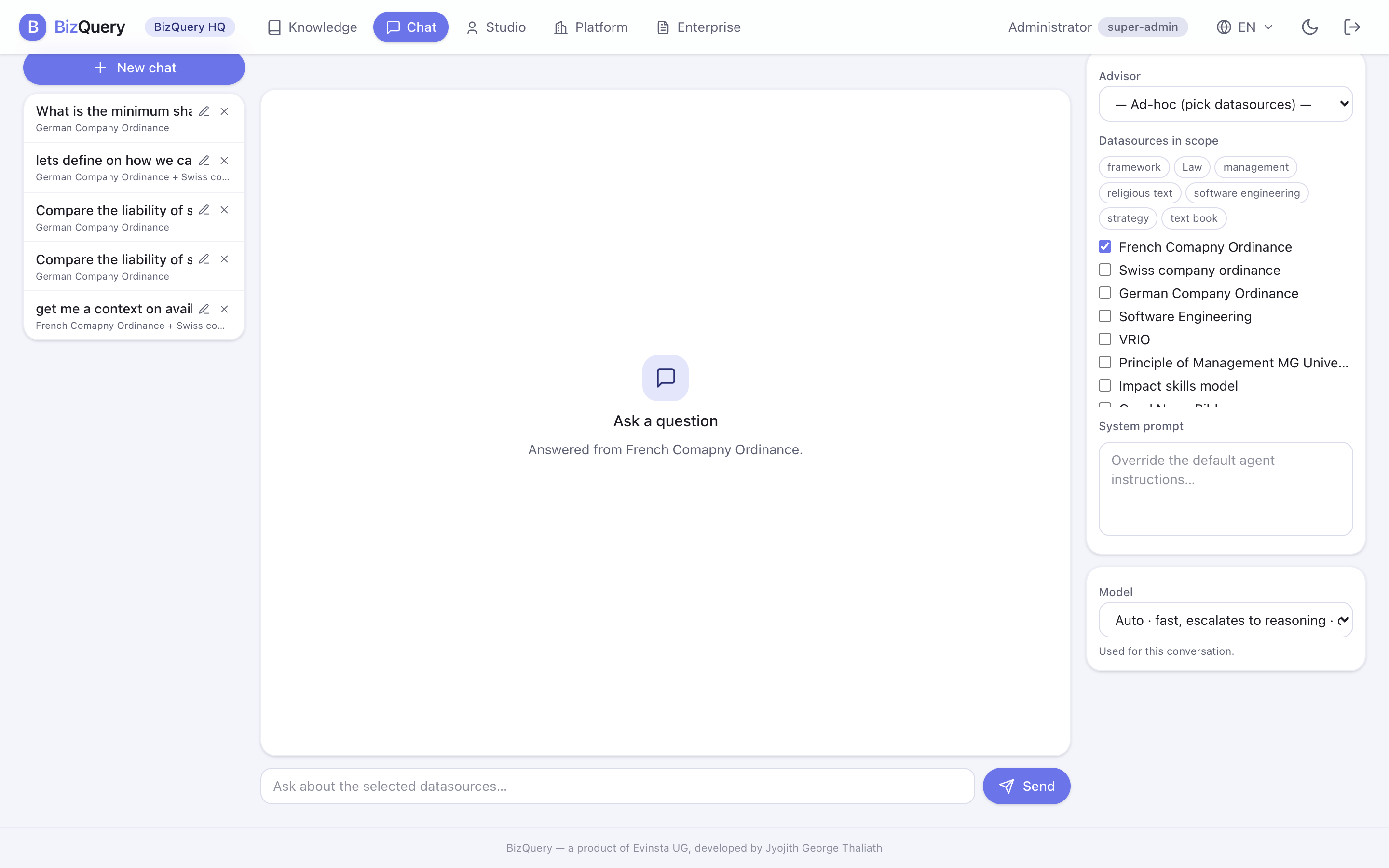
Chat is where you ask questions and get grounded, cited answers. Everyone in a workspace can use it.
Choosing what to ask
Set the scope of a conversation in one of two ways:
- Advisor — talk to a saved advisor; it brings its own datasources, role, and model.
- Ad‑hoc — pick one or more datasources, or a tag (which selects every source under it), for a one‑off question.
The header always shows which sources are in scope, so you know exactly what the answer can draw on.
Reading the answer
The advisor searches your sources and answers in plain language. Expand the evidence under an answer to see the passages and tool calls behind it — your check that every claim is grounded.
Working with answers
- Model picker — where your deployment offers a choice, pick the chat model for the conversation (or auto).
- Regenerate — not happy with an answer? Regenerate it, optionally with a different model.
- Export PDF — save a conversation as a PDF to share or file.
- History — conversations are saved; reopen one to continue, and it reuses the model it started with.